

Create your first price
A price is what the buyer actually pays. A product can have several prices (e.g. monthly and yearly), and the buyer picks one at checkout.
Create a price
Section titled “Create a price”-
Open the product and click Add price.
-
Set:
- Free price (optional) — a price with no charge and lifetime access. It hides the amount and recurrence fields and doesn’t need a payment method (see Free prices).
- Amount and currency.
- Recurring or one-off. If recurring, pick the period (1 day, 1 week, 1 month, 3 months, 1 year, etc.).
- Trial period (optional) — free days before the first charge.
- Trial without card (optional) — let buyers start the trial without entering payment details.
- Customer conditions (optional) — restrict who can buy (see Customer conditions).
- Stock limit (optional) — cap how many can buy this price.
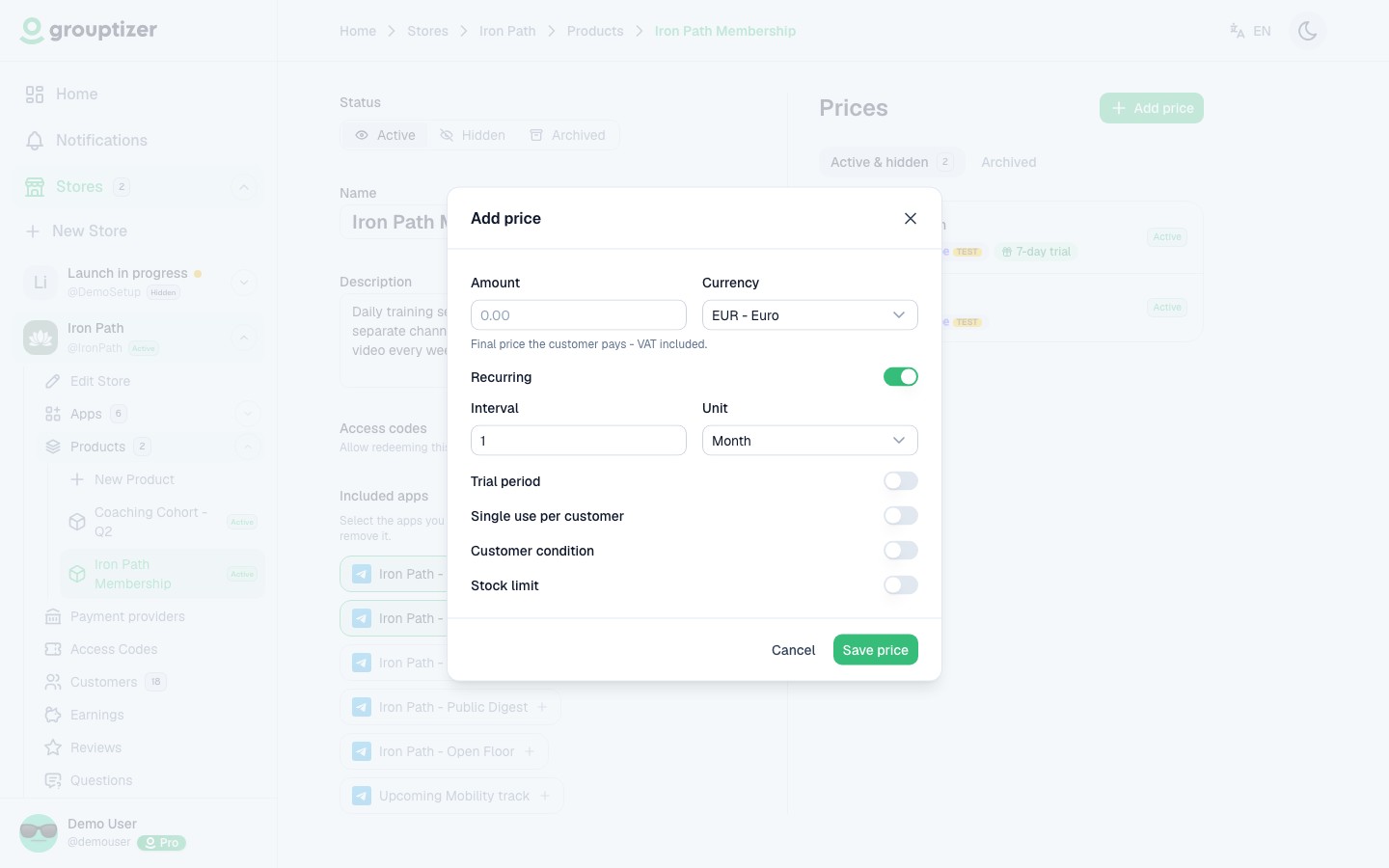
-
Save. The price is created in Published status, but still has no payment method. You set the payment method when editing it. Free prices don’t need one: they can be claimed as soon as they’re saved.
Edit a price
Section titled “Edit a price”Open any existing price to edit it. In edit mode you cannot change:
- The amount.
- The currency.
- The recurrence (or its period).
You can change the rest: trial period, customer conditions, stock, status. And most importantly, this is where you enable Stripe as the payment method for that price.
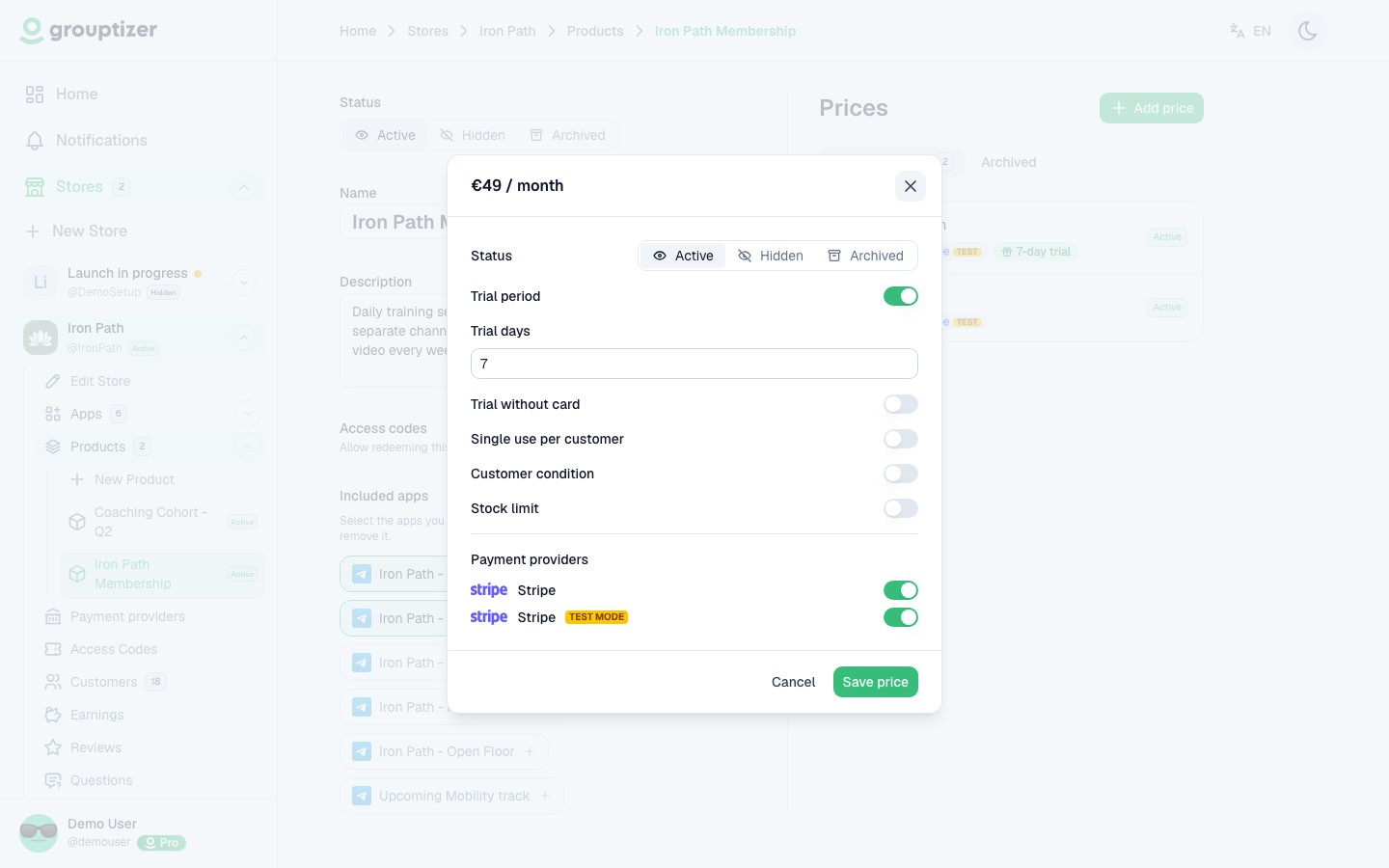
Without an active payment method, a paid price can’t be purchased.
Recurring vs one-off
Section titled “Recurring vs one-off”- Recurring — Stripe charges the buyer every period until they cancel. Access lasts as long as the subscription is active.
- One-off — single payment. The buyer keeps access indefinitely, until you cancel the purchase from the customer detail screen.
See Recurring vs one-off for the full comparison.